Automate Windows Server Configuration With Ansible
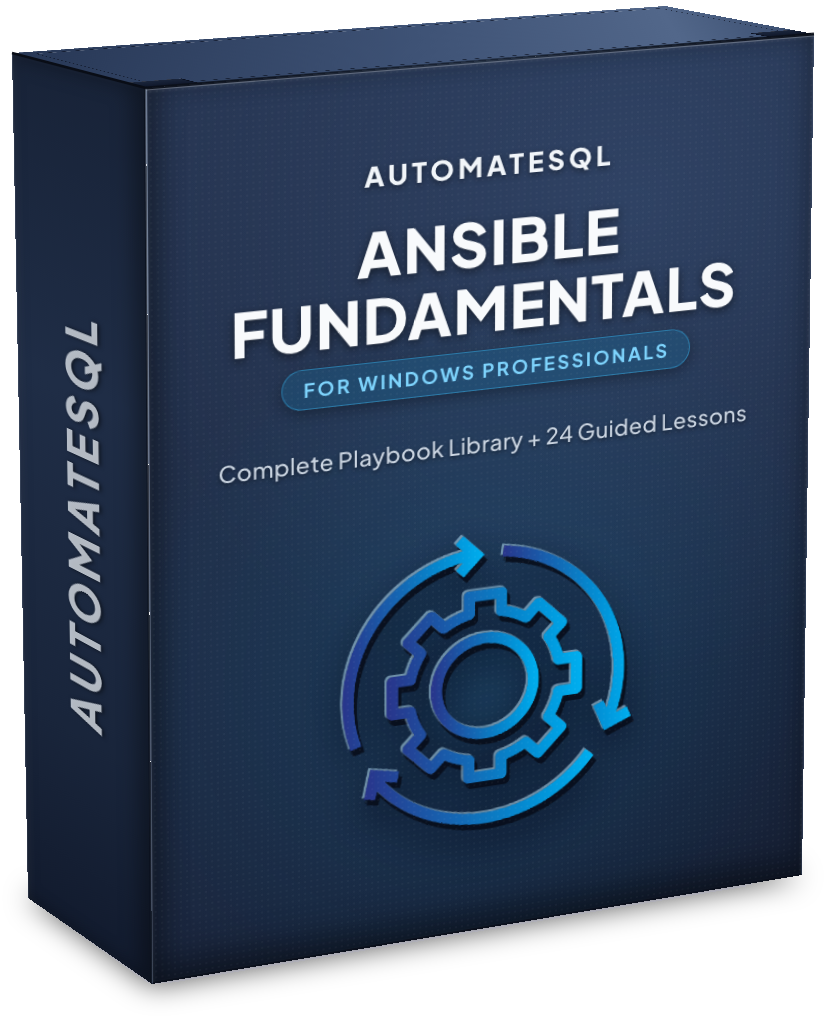
Go from logging into Windows servers one by one to building repeatable Ansible playbooks across a real 5-node Windows Server 2025 and Active Directory lab—even if you've never touched Ansible or Linux before.
“Configuring 20 Windows servers the same way shouldn't mean logging in one by one or maintaining fragile scripts.”
Who it’s for
Windows administrators, SQL Server DBAs, and infrastructure engineers who are new to Ansible and ready to replace manual setup and one-off scripts with repeatable automation.
Course focus: Every lesson teaches Ansible fundamentals in real Windows Server environments. It doesn't install SQL Server itself—it builds the required foundation for the upcoming Ansible for SQL Server course.
The 3 issues every Windows & SQL Server pro runs into
Scripts that break on the second run
Writing PowerShell to configure one blank server is straightforward. Making that script safe to re-run across 20 existing servers without throwing "already exists" errors forces you to wrap 15 lines of real work in 150 lines of if/else checks and error handling.
Ansible tutorials built only for Linux
Most Ansible courses spend 10 hours installing Nginx on Ubuntu and treat Windows as a footnote. They skip what you actually manage at work: Active Directory Kerberos, WinRM and OpenSSH connectivity, least-privilege admin cutovers, disk configuration, hardened NTFS permissions, SMB shares, IIS, DSC, and rolling Windows Update reboots.
Servers drifting apart over time
When one admin clicks through Server Manager and another runs a local script, no two servers stay identical. And when you need to prove exactly what will change during a maintenance window, raw scripts give you no clean dry-run preview before you run them.
How you go from manual server setup to repeatable Ansible automation
You start with five blank, unconfigured servers in your own private Windows Server 2025 and Active Directory lab. Step by step, you learn each core Ansible concept and immediately apply it hands-on until a clean set of playbooks and reusable Roles configures, secures, patches, and reports on every Windows server identically.
Ansible Basics & Windows Connections
How Ansible manages Windows with no agents or Python installed on your servers, YAML basics, and working from Visual Studio Code on Windows.
Set up your Ansible workspace and connect securely to your Windows servers over WinRM, passwordless OpenSSH keys, and Active Directory Kerberos.
Inventories, Variables & Core Windows Automation
How to group servers, separate server settings from playbook code (group_vars and host_vars), gather live Windows facts, and use conditionals and loops.
Join blank workgroup servers to Active Directory, deploy domain GPOs, initialize and format raw disks, and lock down NTFS permissions.
Windows Services, Safe Patching & Existing PowerShell
Native Windows modules, dry-run change previews, event-driven reboots, and how to make existing PowerShell scripts safe to run twice.
Configure IIS, services, firewalls, software packages, scheduled tasks, registry settings, and DSC—then patch servers one at a time and wrap custom .ps1 scripts.
Templates, Encrypted Secrets & Reusable Roles
Dynamic templates, AES-256 secret encryption (Ansible Vault), organizing playbooks into reusable Roles, and how to introduce Ansible safely at work.
Encrypt service account passwords, set up an SMB backup share, generate a live HTML server readiness report, and package everything into 3 reusable Roles.
Your 5-server practice lab
How it works: 3 steps to repeatable Windows Server automation
From hardware check to automated Windows playbooks in three steps:
Verify your Windows 11 workstation in seconds with a 100% read-only PowerShell script before you spend a dime.
Boot your 5-server lab (Sandbox Engine included free)
Your $497 pass includes The Enterprise Sandbox Engine ($247 value) free, using free 180-day Microsoft Windows Server 2025 evaluation ISOs and free VMware Workstation Pro. Its automated Packer templates build your local base boxes hands-free while you walk away, then vagrant up boots all 5 servers.
Learn, build, and reinforce every concept hands-on
Open Visual Studio Code on Windows, connect to your Ansible machine (AC1), and build playbooks step by step across your 5 servers until everything runs cleanly and repeatably.
Host system prerequisites
See how it compares
Compare cost, lab access, and real Windows Server depth before you choose.
Option | Real Cost | Hands-On Lab | What You Walk Away With |
|---|---|---|---|
| DIY PowerShell & Manual Setup | Free (Heavy weekend time tax) | None (Risky on work servers) | Fragile one-off scripts with no built-in way to preview what will change before you run them |
| Generic $20 Online Courses | $20 (+ 40 hrs of trial & error) | None (BYO servers) | Linux/Nginx examples and passive videos with limited win_ping demos |
| $4,700 Enterprise Vendor Class | $4,700 (VP approval required) | Temporary cloud lab Expires when class ends | Surface-level labs that vanish when your class timer ends |
Ansible Fundamentals + Sandbox Engine | $497 One-time payment | Permanent 5-node local lab $0/mo cloud fees | 24 step-by-step lessons, Sandbox Engine ($247 value free), real-world Windows Server examples, hands-on challenges, and Dave AI (AI Lab Assistant) |
See what you'll build
10 modules · 24 step-by-step video lessons & lab guides (12–15 hours total — most engineers finish in 2–3 weeks at 1–2 hours a day). Start with both free preview lessons below.
Module 0• 2 LessonsCourse & Lab SetupHide
Module 1• 2 LessonsCore FoundationsHide
Module 2• 1 LessonControl Node SetupView
Module 3• 2 LessonsWindows TransportsView
Module 4• 3 LessonsInventories & ADView
Module 5• 3 LessonsLogic, Facts & DisksView
Module 6• 3 LessonsRoles, Apps & DSCView
Module 7• 2 LessonsUpdates & RebootsView
Module 8• 2 LessonsPowerShell BridgeView
Module 9• 4 LessonsJinja2, Vault & RolesView
What's included with your access pass
Everything you need to build, test, and bring repeatable Windows Server automation to work—bundled into one $497 pass ($744 separate value):
Every playbook is built and executed on screen, then reinforced with lab guides, copy-pasteable code, 2-minute challenges, and flashcards—leaving you with 17 playbooks, 3 reusable Roles, 4 PowerShell scripts, and 2 Jinja2 templates to use as real-world examples as you plan your rollout.
The full Packer + Vagrant lab builder course plus your ready-to-boot 5-node lab package—with zero cloud fees or extra software licenses. Every lab file, playbook, and role you build stays on your workstation forever.
Trained directly on every playbook, role, vagrantfile, and all 24 lesson transcripts to help you debug WinRM, OpenSSH, Kerberos, or YAML errors in seconds.
One-time, non-renewing payment for 1 full year of course access, updates, and lesson Q&A—plus a receipt for company expense reports.
About the instructor

Luke Campbell
Founder
I've spent over 20 years managing enterprise SQL Server databases, Windows Server infrastructure, and automated systems.
I built this course to give you the Windows-first Ansible training I wish existed: real Active Directory, Kerberos, and reusable roles you can test safely in a 5-node lab before taking them to work.
Frequently asked questions
Everything you need to know about hardware requirements, Sandbox Engine access, company receipts, and enrollment.
1. What computer hardware and software do I need?
64-bit Windows 11 (Intel or AMD x64 CPU with virtualization enabled), 32 GB RAM, 100–150 GB free SSD space, and Local Administrator rights.
Most students run the lab on a personal Windows 11 desktop or laptop since corporate laptops often restrict local admin rights or hypervisors. ARM chips like Apple Silicon or Snapdragon are not supported—run the free pre-flight check (/preflight) on the machine you plan to use first.
2. I already know PowerShell—why do I need Ansible?
PowerShell is great at running tasks on a server—Ansible is what turns those tasks into repeatable, multi-server automation.
Instead of tracking server differences in your head or building custom wrapper scripts for state checks, logging, and reboots, Ansible gives you an orchestration layer on top of Windows: organized server inventories, reusable roles, encrypted credentials, built-in dry-run previews before maintenance windows, and rolling updates across multiple servers at once. You don't throw away your PowerShell skills—Ansible runs PowerShell under the hood, and Module 8 shows you how to bring your existing .ps1 scripts right into your playbooks safely.
3. Do I need prior Linux, sudo, or paid Red Hat licenses?
No. This course assumes you're touching Linux and Ansible for the first time. You write and run every playbook from Visual Studio Code on Windows connected over SSH to your Linux Ansible machine (the control node), and everything runs inside an isolated user environment with zero Linux sudo or root access required.
You learn on 100% free open-source Ansible Core, and the exact same playbooks and roles run directly in Red Hat Ansible Automation Platform (AAP) or AWX if your company uses them.
4. Does this course install SQL Server, or focus on Windows Server?
This course focuses on mastering core Ansible fundamentals in a Windows Server environment—covering Active Directory, storage, NTFS security, IIS, PowerShell, and patching—and leaves SQL1 and SQL2 hardened and ready for SQL Server.
It does not install SQL Server itself, because the upcoming Ansible for SQL Server course jumps straight into SQL Server installation, configuration, and patching without re-teaching the Ansible and Windows fundamentals covered here. If you're a DBA who is new to Ansible, this is the starting point.
5. Is The Enterprise Sandbox Engine included—and what if I already own it?
Yes—because this course runs on your local Windows Server 2025 and Ubuntu base boxes, The Enterprise Sandbox Engine ($247 value) is included free with your enrollment, with zero recurring cloud fees or extra software licenses.
If you already own it, email luke.campbell@automatesql.com from your enrolled email before purchasing and I'll send you a discount code crediting what you previously paid toward this course (cannot be combined with other discounts or applied retroactively after checkout).
6. Do I get a receipt for employer reimbursement?
Immediately after checkout, you receive a receipt you can submit with your company expense report. If you want to check with your manager first, click "Need manager approval?" below any enroll button to copy a ready-to-send training request email.
7. How do the 1-year access pass and refund policy work?
It's a one-time, non-renewing payment giving you 1 full year of platform access, updates, Q&A, and Dave AI—while all lab files, playbooks, and roles you build stay yours permanently.
Because digital lab codebases are delivered immediately, all sales are final; run the free pre-flight check (/preflight) and watch both Free Preview Lessons above first so there's zero guesswork.
Stop configuring servers one by one.
Spend another weekend watching fragile scripts—or get repeatable Windows Server playbooks, reusable Ansible Roles, and your own 5-node lab running today.